

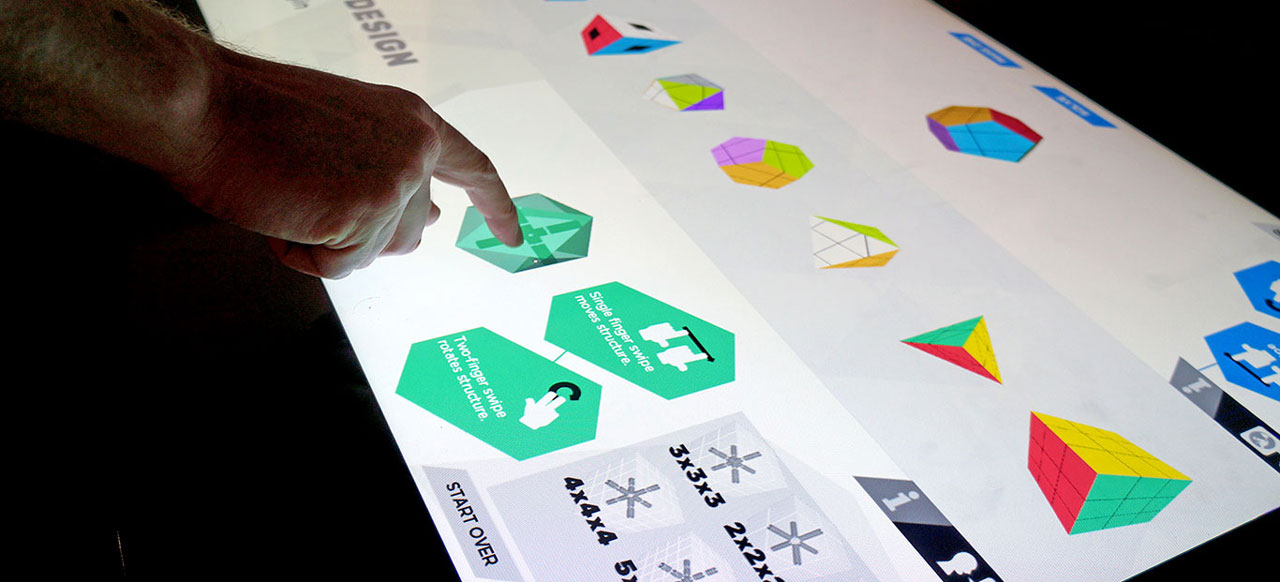
When (and how) to use digital tabletops in exhibits and branded environments
The first digital multi-touch tables I encountered were the DIY assortment in the early 2000s. You’d need to assemble your own using a projector, an infrared camera, and open-source software. I was wowed by the technology, but I never did get around to building one – or even trying.
Soon enough, and fortunately for me, manufacturers began creating all-in-one, off-the shelf devices. In 2008 I developed my first multi-touch projects for the original Microsoft Surface table. While it’s dim, low-resolution display and finicky touch interface may seem sad by today’s standards, at the time it felt like a glimpse into the future.
Over the past decade, I’ve been involved with roughly 25 interactive tabletop projects, as creative director, designer, and/or developer, and so I’ve spent a lot of time not only working with the form factor, but talking, writing, and thinking about it. Here are some observations on successful use of this technology in exhibits and branded environments.
Beyond Novelty
For many visitors, the digital table remains a novelty – not the coolest thing they’ve ever seen, but “different” – and exhibit designers often try to leverage this to make ordinary digital media seem, well, novel.
But unless the experience is designed to leverage the format’s strengths, the novelty wears thin quickly once visitors realize it’s “just another touchscreen.” No longer a new technology, the digital table has become another standard format – a good fit for some projects, terrible for others, and every so often, a perfect solution for interactive engagement.
So when are tabletops the right choice? Here are five approaches I’ve found where the use of digital tables can truly enhance visitor experience.
SOCIAL

These themes take advantage of the table’s form factor to augment digital interaction with face-to-face communication (or vice-versa):
Collaboration: Using the model of a virtual workbench, digital tabletops can become platforms where visitors collaborate to solve problems, share information, or create something – together.
Competition: From action games to quizzes to virtual board games, the interface of an inward-facing table keeps experiential gaming social.
Presentation: The casual form factor of tabletops allows for presentations that blend personal communication and digital media in an informal yet intimate way.
PSEUDO-SOCIAL

“Pseudo-social” is a psychiatric term that I’ve reappropriated to refer to parallel-play experiences on digital tables. It’s the “feeling” that an interaction is shared or public, when in actuality it’s happening on an individual level. Not that there’s anything wrong with that…
A number of tabletop projects I’ve developed have started off with the ambition to be collaborative experiences… but in developing the UX and design of the projects, it becomes clear that they are perhaps better suited to individual interaction. And so the tabletops are restructured with virtual ‘stations’ that let users engage side-by-side.
While the interfaces are siloed, I’ve found that visitors will sometimes override this limitation to create their own social experiences. A few years ago I helped develop a digital tabletop about organic chemistry for Liberty Science Center, where visitors were challenged to assemble complex hydrocarbons from simple molecules. While the experience was designed for parallel play, I was surprised to observe some visitors augmenting the experience with their own rules; they organically turned the activity into a competition, racing to be first to complete all the molecules while keeping an eye out on their competitors.
In other contexts, this type of pseudo-social activity can serve as an attract element. By presenting personal interactions on the larger scale of the tabletop surface, rather than a smaller individual kiosk, this format can help other visitors understand the experience’s content and interface.
SKEUOMORPHIC

In some contexts, content simply makes sense on a horizontal surface, particularly when the digital table becomes a metaphor for a real-world tabletop activity. Beyond the workbench and gameboard described above, these may include:
The Dinner Table: Interactives about food, nutrition, and dining
The Operating Table: Healthcare and anatomy content
The Map Room: Tabletop maps of historic locations and events
Overhead Views: Content best understood from above: floorplans, rivers, aerial photography, etc.
TACTILE

One of the truly magical features of many multi-touch tables is the ability to recognize objects placed upon their surfaces. This combination of physical and digital can become the basis for a wide variety of experiences, powering tactile interfaces for play, experimentation, and creativity that are truly unique to this platform.
The most common use of this technology is as a navigation tool, where placing a small object on the tabletop triggers the appearance of related content. When done right, this can provide for a memorable, tangible interaction that connects the physicality of a model or artifact to its digital interpretation.
ENVIRONMENTAL

Sometimes a digital table is implemented less for its own technology and more in support of its surrounding environment. A tabletop can fit into an art exhibition without interrupting sightlines or taking up precious wall space. In a room filled with two-dimensional objects behind glass, the table can provide dimensionality and interaction.
And tables can be “easy” – an all-in-one multi-touch table from Ideum can be pulled into a gallery, plugged in, and up and running in minutes, with no additional fabrication or wiring required.
I’d strongly recommend that any tabletop deployed primarily for environmental reasons try to leverage some of the social or contextual approaches outlined above. If that’s not possible, it becomes essential that its interfaces and interactions are designed to maximize usability for the form factor.
More on that to come in Part 2, where I’ll discuss when NOT to use a tabletop, and outline some practices – “best” and otherwise – that I’ve used to make digital tabletop interactions intuitive and engaging.
*Not the author’s work, but a good illustration of the theme.
One thought on “Table This Discussion, Part 1”